Daily or weekly scans
Schedule automated scans that check your Entra ID configuration and surface new risks.
Connect with Microsoft
All permissions are read-only. Nothing is ever written back.
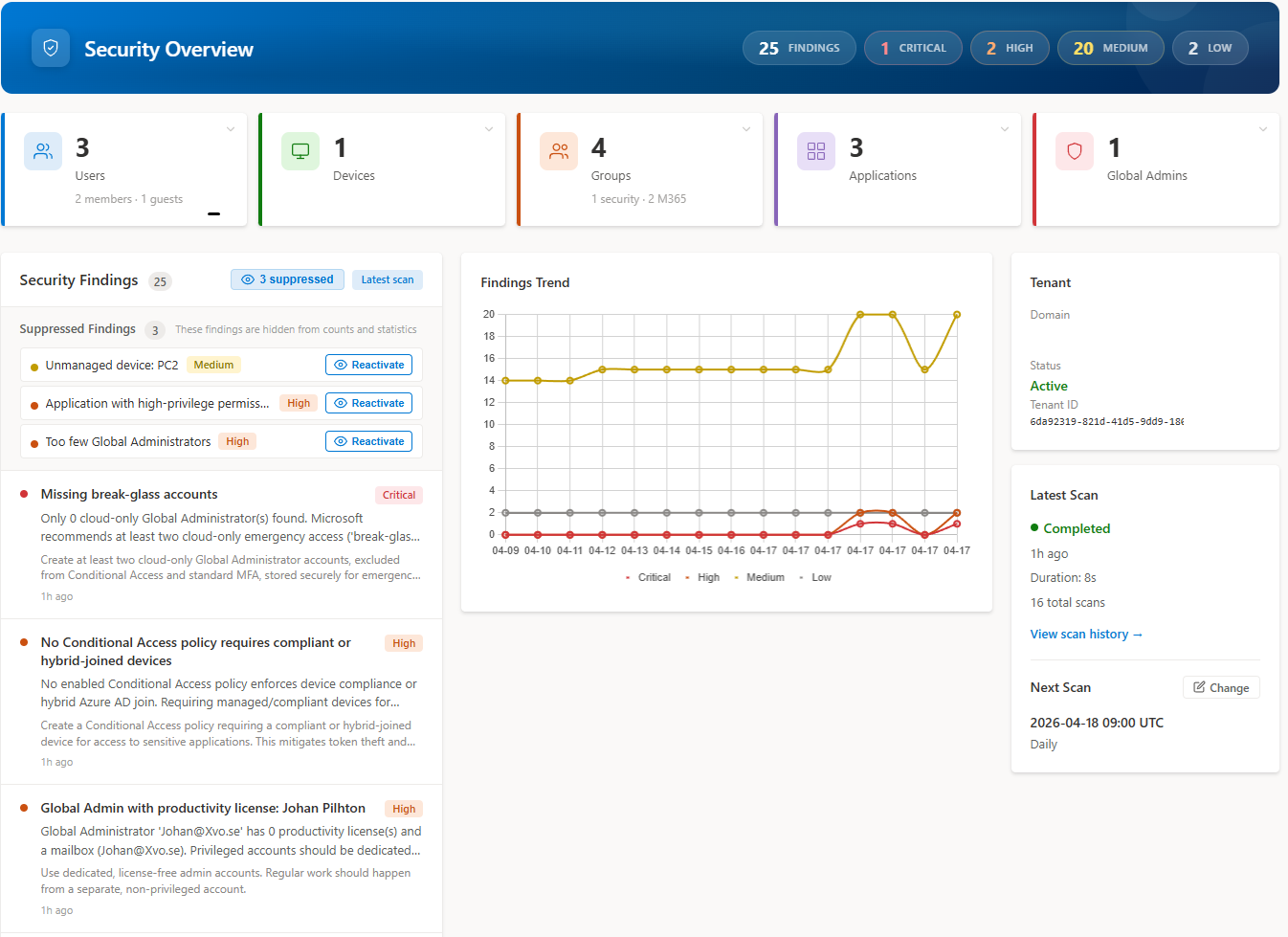
Security Overview
Every scan surfaces misconfigurations, risky changes, and policy drift — ranked by severity so you know exactly what to fix first.
Across 60+ built-in rules covering identities, devices, applications, Conditional Access, privileged roles, and audit activity.
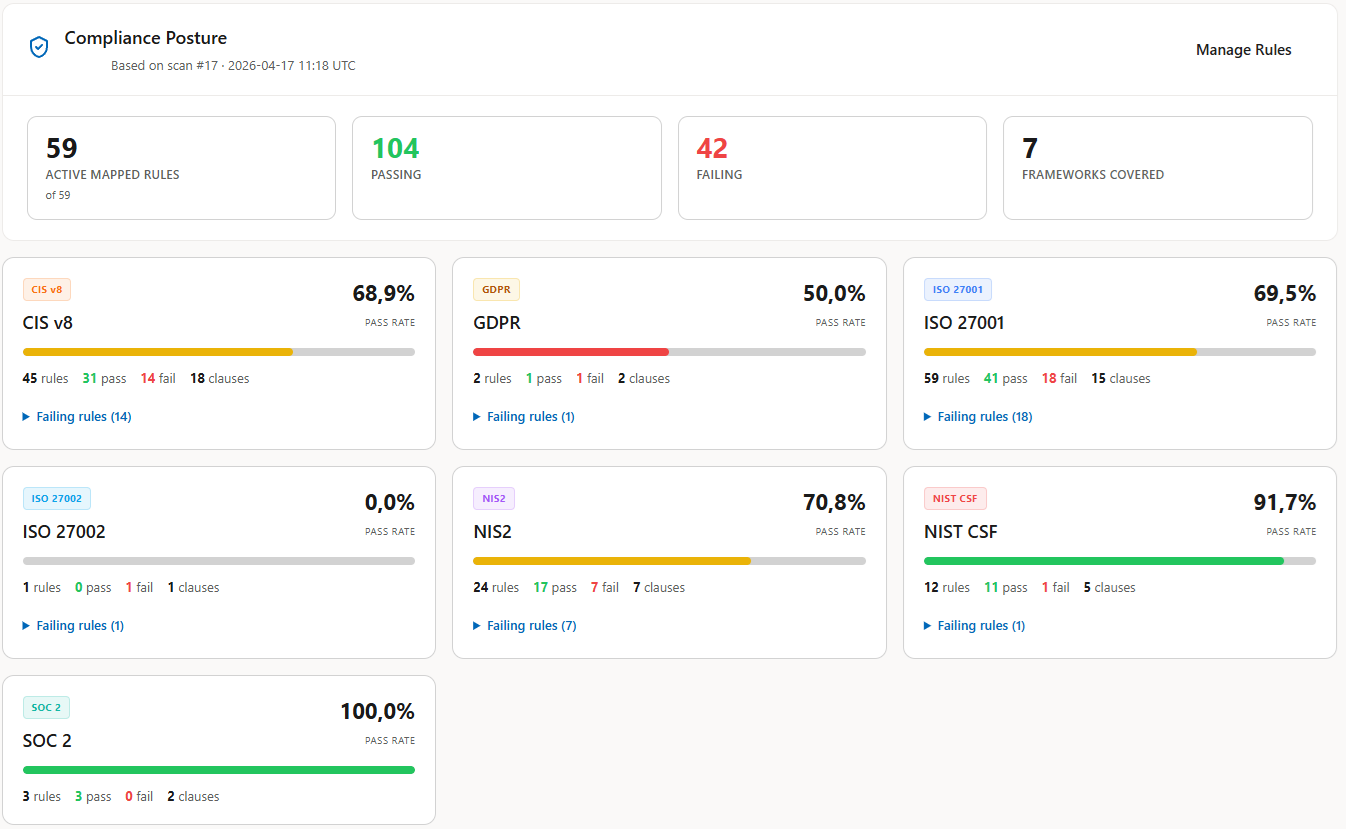
Compliance Posture
Each rule is pre-mapped to the relevant control clauses. See pass-rate per framework, drill into failing rules, and export evidence without spreadsheets.
Activate the rules relevant to your scope — pass rate and clause coverage update automatically on every scan.
Schedule automated scans that check your Entra ID configuration and surface new risks.
Connect with MicrosoftEvery scan ranks defects by severity so you know exactly what to fix first.
Learn moreGet a clear summary emailed after each scan — forward it to leadership, auditors, or your security team.
Authenticate with your existing Microsoft account and grant read-only access to your Entra ID tenant.
Choose daily or weekly cadence. Entra Analyzer checks for misconfigurations, risky changes, and policy drift.
Receive a clear, prioritized summary with findings and recommended fixes delivered to your inbox.
Every scan generates a prioritized security report showing severity, what's wrong, and how to fix it. Enter your email and we'll send you a real sample with demo data.
Your first scan is free. Subscribe to keep scanning, schedule recurring runs, and get email reports.
EntraAnalyzer
per tenant · excl. VAT · billed monthly
EU VAT applied at checkout where applicable.
Direct access to the founder · Influence the roadmap · Priority support
Run your free Entra ID scan
Connect with MicrosoftCancel anytime. No long-term commitment.
No. We only request read-only Microsoft Graph permissions. Entra Analyzer cannot change your configuration.
Sign in with your Microsoft account, grant read-only access, and your first scan can run the same day.
Yes. Every scan produces an email report you can forward to auditors, leadership, or your team.
All data is stored and processed within the EU under strict security controls.
Only read-only Microsoft Graph permissions. We never request write access. The core permissions are:
A full list of all 13 permissions is shown above and during onboarding.
Looking for more answers? Browse the full Findings library →
Sign in with Microsoft, run your first scan free, and see your tenant's risks in minutes.
Connect with Microsoft